
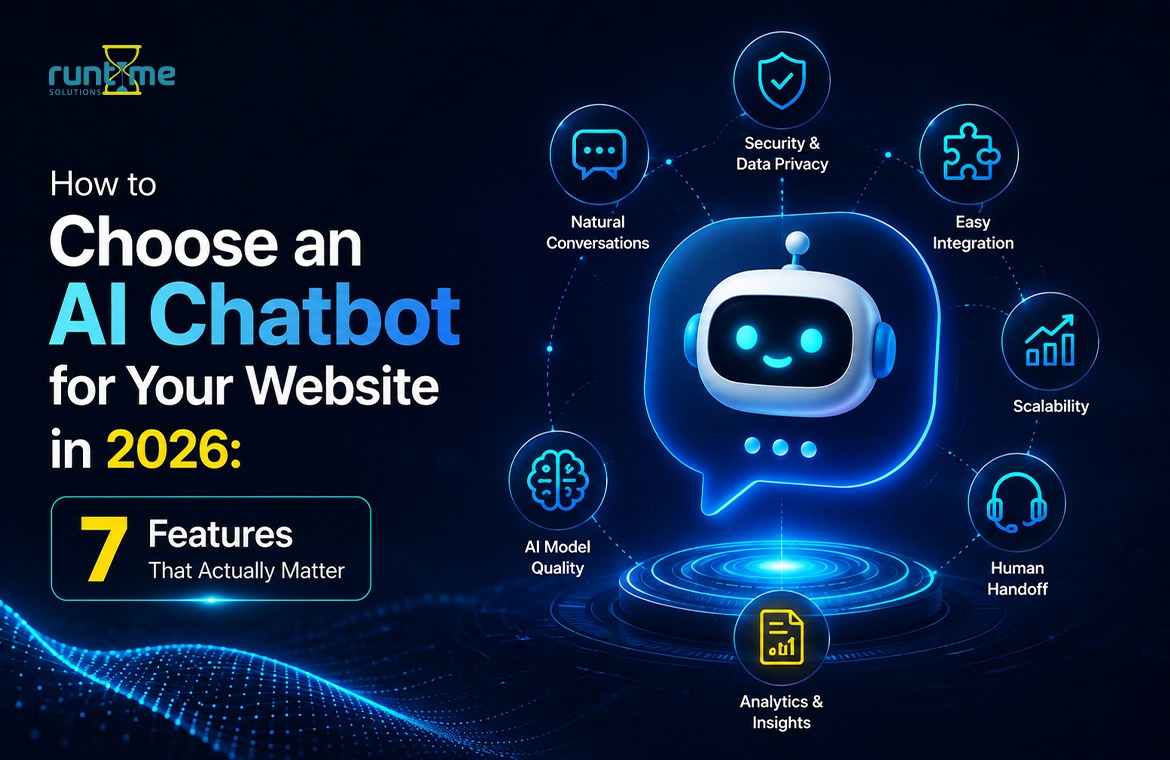
- What's Changed in 2026
- 1. It Understands Natural Language, Not Just Keywords
- 2. It Can Learn From Your Own Business Content
- 3. It Integrates With the Tools You Already Use
- 4. It Hands Off to a Human Smoothly
- 5. It Speaks More Than One Language
- 6. It Gives You Real Analytics and Conversation Insights
- 7. It Takes Data Privacy and Security Seriously
- AI Chatbot vs. Scripted Chatbot vs. Live Chat
- The Buying Mistakes That Cost Businesses the Most
- Frequently Asked Questions
- Before You Buy: A 5-Minute Test
- Making the Right Call
It’s 11 p.m. Someone lands on your website. They’re wondering about your pricing, or your shipping, or whether what you offer would even work for their particular situation. There’s no one there to answer. They wait a moment, lose interest, and leave. Now multiply that by every visitor who arrives after hours, on weekends, during a holiday — and you start to see how much revenue quietly slips away while no one is watching.
That gap is exactly what an AI chatbot is built to close. But here’s the catch: not every chatbot on the market actually does the job well. Some are glorified FAQ menus with a chat bubble bolted on. Others genuinely understand what a visitor is asking and respond the way a helpful staff member would. The difference between the two is the difference between a tool that pays for itself and one that annoys your visitors and gets switched off within a week.
So how do you tell them apart before you sign a contract? That’s what this guide is for. Below are the seven features that separate a chatbot worth paying for from one that isn’t. Whether you run a clinic, an online store, or a SaaS company, the questions you ask are the same — you’ll just weigh them differently depending on your business. Let’s get into it.
What’s Changed in 2026
The bar for a good website chatbot has moved. A few years ago, simply holding a natural-sounding conversation was impressive. Today every chatbot built on a modern language model can do that, so fluent chat tells you almost nothing on its own. What separates a genuinely useful chatbot now is what happens underneath: whether it’s grounded in your real content, whether it hands off and integrates properly, and whether it protects data the way your industry demands.
The other shift is from answering to doing. The best chatbots in 2026 don’t just reply to questions — they book appointments, capture and qualify leads, and update your systems while the visitor is still engaged. That’s why the seven features below focus less on “can it chat” (assume it can) and more on whether it can chat usefully about your specific business, inside your existing workflow, and safely.
1. It Understands Natural Language, Not Just Keywords
This is the single biggest difference between a real AI chatbot and an old-school scripted one, so it’s worth spending a moment on.
A scripted chatbot runs off a decision tree. Type “pricing” and the pricing menu appears. But type “how much is this going to cost me?” and it may not recognise the question at all, because that exact phrasing was never programmed in. A genuine AI chatbot is driven by natural language processing, so it understands the intent behind a question no matter how it’s worded. “How much is this?”, “Do you have a free plan?”, “Can you send me pricing?” all land in the same bucket.
Picture a dental practice’s website. A patient types, “Can someone see me today? I chipped a tooth.” A scripted bot gets stuck or returns a generic list of services. An AI chatbot senses the urgency, pulls up same-day availability, and offers to book the appointment right there in the chat.
What happens if it’s missing: visitors have to rephrase the same question two or three times, get frustrated, and either call your office (defeating the point of automation) or leave entirely.
Buying advice: during any demo, throw messy, real-world phrasing at the bot — typos, slang, half-finished sentences. Watch how it holds up when the question isn’t neat.
Common mistake: assuming that “AI chatbot” on a sales page always means real NLP. Some tools are AI-branded but still rule-based underneath. Ask directly what model or technology powers the responses.
Key takeaway: if the bot can’t handle a normal, human way of asking a question, nothing else about it matters as much. In 2026, understanding natural language is the baseline — treat it as the entry ticket, not a bonus.
2. It Can Learn From Your Own Business Content
A chatbot that only knows generic answers isn’t much use to a business with specific products, policies, or processes. The better tools let you feed them your website pages, PDFs, help docs, and product catalogue — and the bot answers using that actual information rather than guessing.
Take a university admissions office. Prospective students ask about application deadlines, scholarship eligibility, and transfer-credit rules — details scattered across dozens of PDFs from different departments. A chatbot trained on that material answers directly, instead of sending students down a maze of links to hunt for it themselves.
What happens if it’s missing: the bot gives vague, generic answers that don’t reflect how your business actually operates, and visitors quickly stop trusting it.
Buying advice: ask exactly how the training process works. Is it a one-time upload, or does the bot update automatically when you change your website? Ongoing sync matters far more than most buyers realise at purchase time.
Common mistake: setting the bot up once at launch and never updating its knowledge base again. Six months later it’s confidently handing out a return policy you retired in the spring.
Key takeaway: a chatbot is only as good as what it’s been taught about your business — and that teaching has to be easy to keep current, not a project you do once and forget.
3. It Integrates With the Tools You Already Use
If your chatbot sits in isolation, disconnected from your CRM or your support inbox, it will create work rather than remove it. Check that any chatbot you consider connects cleanly to the systems your team already relies on — tools like HubSpot, Salesforce, Zendesk, Shopify, WordPress, WooCommerce, Slack, or WhatsApp.
Say you run a Shopify store. A well-integrated chatbot can check real-time stock, answer “is this available in large?”, and even let a customer complete a purchase without leaving the chat window. Without that connectivity, the bot is either guessing or redirecting the customer somewhere else — and every redirect is a chance to lose the sale.
What happens if it’s missing: your staff end up manually copying chat transcripts into other systems, quietly erasing the time savings the chatbot was supposed to deliver.
Buying advice: before you start browsing chatbots, write down your five most important current tools. Rule out any option that can’t connect to at least the top two or three.
Common mistake: choosing a chatbot on features alone and discovering the integration gap only after you’ve signed an annual contract.
Key takeaway: the best chatbot for your website is one you can slot into your existing workflow — not one that forces you to build a new workflow around it.
4. It Hands Off to a Human Smoothly
No chatbot, however advanced, should try to handle everything. The good ones know their limits and know exactly when to bring in a person — and they do it without making the visitor repeat themselves.
Think of a law firm’s website. A visitor asks, in general terms, how a consultation works; the bot can handle that easily. But the moment they start describing the details of an active legal matter, that needs to go to a human — quickly, and with the full conversation passed across so the visitor doesn’t have to start over.
What happens if it’s missing: visitors get stuck in a loop, retyping the same question in different words while the bot keeps missing the point — or they’re handed to a human who has no idea what was already discussed.
Buying advice: watch the handoff happen firsthand in the demo. Does the human agent receive the complete chat history? Is there a live signal so the visitor knows a real person has joined the conversation?
Common mistake: treating the chatbot as a replacement for human service rather than a filter that handles the easy 70% and escalates the rest smoothly.
Key takeaway: the goal was never to remove people from the equation. It’s to make sure they’re only pulled in when it genuinely matters — which makes their time more valuable, not less.
5. It Speaks More Than One Language
If your customers aren’t all native English speakers, this stops being a nice-to-have and becomes a real business decision. A multilingual chatbot can automatically detect a visitor’s language and reply in it, without making them dig through a settings menu.
In a city with heavy tourist traffic, a real estate agency might field enquiries in English, Spanish, and Mandarin in a single day. A chatbot that only speaks English turns away two-thirds of that traffic before a conversation even starts.
What happens if it’s missing: international or non-English-speaking visitors bounce instantly, and you may never even spot the missed opportunity in your analytics.
Buying advice: check which languages are supported for both understanding and responding. Some tools only translate the reply, not the incoming message, which produces strange, unreliable results.
Common mistake: assuming this doesn’t apply to a small local business. Diverse cities and single-location shops see far more multilingual traffic than owners expect.
Key takeaway: supporting multiple languages isn’t just courtesy — it directly determines how many of your visitors the chatbot can actually help.
6. It Gives You Real Analytics and Conversation Insights
A chatbot that answers questions and then forgets them is leaving value on the table. The best ones show you what people are really asking, where the bot is struggling, and which conversations are turning into leads or sales.
A SaaS company, for example, might use chatbot analytics to discover that a large share of visitors keep asking about a feature that isn’t mentioned anywhere on the pricing page. That’s not just a chatbot insight — it’s a marketing fix waiting to happen, handed to you for free.
What happens if it’s missing: you’re running the chatbot blind, with no way of knowing whether it’s genuinely helping or quietly frustrating people.
Buying advice: ask to see a sample analytics dashboard as part of the sales process, not just a description of what it can do.
Common mistake: installing the chatbot and never opening the conversation logs again. The data is often more useful than the automation itself.
Key takeaway: the conversations in your chatbot are a direct line into what your customers actually want to know — treat them as research, not just support tickets.
7. It Takes Data Privacy and Security Seriously
Chatbots handle names, emails, order numbers — and, depending on your industry, far more sensitive information. A clinic’s chatbot might field health questions; a financial services bot might touch account details. This is not a feature to leave as an afterthought.
What happens if it’s missing: you risk regulatory trouble — HIPAA, GDPR, India’s DPDP Act, or whatever applies in your region and sector — and, more importantly, you risk your customers’ trust, which is far harder to win back than it is to lose.
Buying advice: ask vendors where conversation data is stored, how long it’s retained, whether it’s encrypted, and whether they comply with the rules that apply to your industry and location. Ask, too, whether a private or self-hosted deployment is available if your data is sensitive.
Common mistake: talking only about features and price, and never asking a single security question until after the contract is signed.
Key takeaway: an impressive chatbot means little if it comes at the cost of your customers’ data — or your business’s standing.
AI Chatbot vs. Scripted Chatbot vs. Live Chat
It helps to see the three options side by side, because most businesses end up using a combination rather than one alone:
| AI Chatbot | Scripted Chatbot | Live Chat | |
| Understands free-form questions | Yes | No — keyword-based only | Yes (human-handled) |
| Available 24/7 | Yes | Yes | Usually limited hours |
| Cost to scale | Low per conversation | Low | High — needs more staff |
| Learns from your content | Often, yes | No | Not applicable |
| Best for | Most businesses with recurring questions | Very simple, narrow use cases | Complex or emotionally sensitive conversations |
The honest answer is that most growing businesses end up using an AI chatbot and live chat together — the bot handles the repetitive 70%, and a real person steps in for the conversations that genuinely need one.
The Buying Mistakes That Cost Businesses the Most
Before you decide, it’s worth naming the mistakes that come up again and again — because avoiding them puts you ahead of most companies shopping for a chatbot right now:
- Choosing a chatbot on price alone, without testing how it handles real customer questions.
- Skipping the integration check and discovering the gap only after signing a contract.
- Never updating the bot’s knowledge base after the initial setup.
- Ignoring the human handoff experience until customers start complaining.
- Giving no thought to data privacy until something goes wrong.
Steer clear of those five and you’ll have made a more careful decision than the majority of businesses in the market today.
Frequently Asked Questions
What’s the difference between an AI chatbot and a scripted chatbot?
An AI chatbot uses natural language processing to interpret questions however they’re phrased. A scripted chatbot only recognises specific keywords or preset menu options, so if a visitor’s question doesn’t match the script exactly, it often fails to respond helpfully. AI chatbots can also learn from your business content, which scripted bots generally can’t do at all.
How much does an AI chatbot cost for a small business?
Pricing ranges from free plans with limited conversations to a few hundred dollars a month for full-featured plans with CRM integration and analytics. Enterprise-grade chatbots with custom training and dedicated support cost considerably more. What you’ll pay depends mainly on your traffic volume and how many integrations you need.
Can an AI chatbot replace live chat completely?
Usually not — and it shouldn’t try to. AI chatbots excel at repetitive, predictable questions, but conversations with real complexity or emotional weight benefit from a human. Most businesses are better off running both, with the bot screening routine questions and escalating the rest.
Do AI chatbots work well on mobile websites?
Yes, provided the chat widget is mobile-responsive. Some poorly designed widgets take up too much of the screen or load slowly on mobile connections, so it’s worth testing the chat window on an actual phone before you buy.
What should I look for in an AI chatbot if I’m not technical?
Focus on how easy it is to set up, how well it connects to the tools you already use, and how it handles real questions in a demo. You don’t need to understand how it works under the hood — you need to see it working on your actual content and your real customer queries.
How long does it take to get an AI chatbot live on my website?
A well-built chatbot can go live quickly once it’s been trained on your content and embedded via a widget or simple integration. The larger time investment is preparing good source material and reviewing early conversations to refine its answers — the ongoing improvement matters more than the initial setup.
Before You Buy: A 5-Minute Test
Vendors control the demo, so take control back and test the features yourself instead of watching a scripted walkthrough:
- Test the language handling. Ask the same question three different messy ways — with a typo, in slang, half-finished. A real NLP bot understands all three.
- Test the grounding. Ask three questions only your business could answer correctly. See whether it retrieves the right information or improvises.
- Test the honesty. Ask something it couldn’t possibly know. A good bot admits the limit; a risky one fabricates a confident, wrong answer.
- Test the handoff. Trigger an escalation and check what context reaches the human — does the visitor have to start over?
- Ask where the data lives. If the answer is vague, treat it as a red flag, not a detail to sort out later.
Run those five checks and you’ll learn more in five minutes than an hour of sales slides will tell you.
Making the Right Call
Choosing an AI chatbot for your website was never about the longest feature list — it’s about matching the right strengths to the specific problems your visitors run into. An ecommerce store, a clinic, a SaaS company, and a law firm all need the same seven things; they just weigh them differently. So treat the list above as a scorecard: does it understand real, messy questions, learn from your own content, fit the tools you already run, hand off to a human cleanly, speak the languages your customers actually use, show you what people are asking, and treat their data with care? Test any option against the questions your customers really ask — not the polished demo script — and don’t sign anything until you’ve asked the security questions out loud.
If auditing a dozen vendors against that checklist sounds like more than you have time for, that’s where we can help. Runtime Solutions’ AI chatbot is built around these exact fundamentals: it learns directly from your website and documents so it answers with your real information, understands natural language instead of rigid keywords, hands conversations to your team with full context when a person is needed, connects into your existing CRM and workflow, and gives you the conversation analytics to see what customers genuinely want. And because data handling is never an afterthought, it offers both managed cloud and private, self-hosted deployment — so you match the chatbot to your compliance needs, not the other way around.
Get these fundamentals right, and your chatbot stops being a widget on your website and becomes the thing that quietly answers questions, keeps visitors from bouncing, and hands your team back hours every single week.