
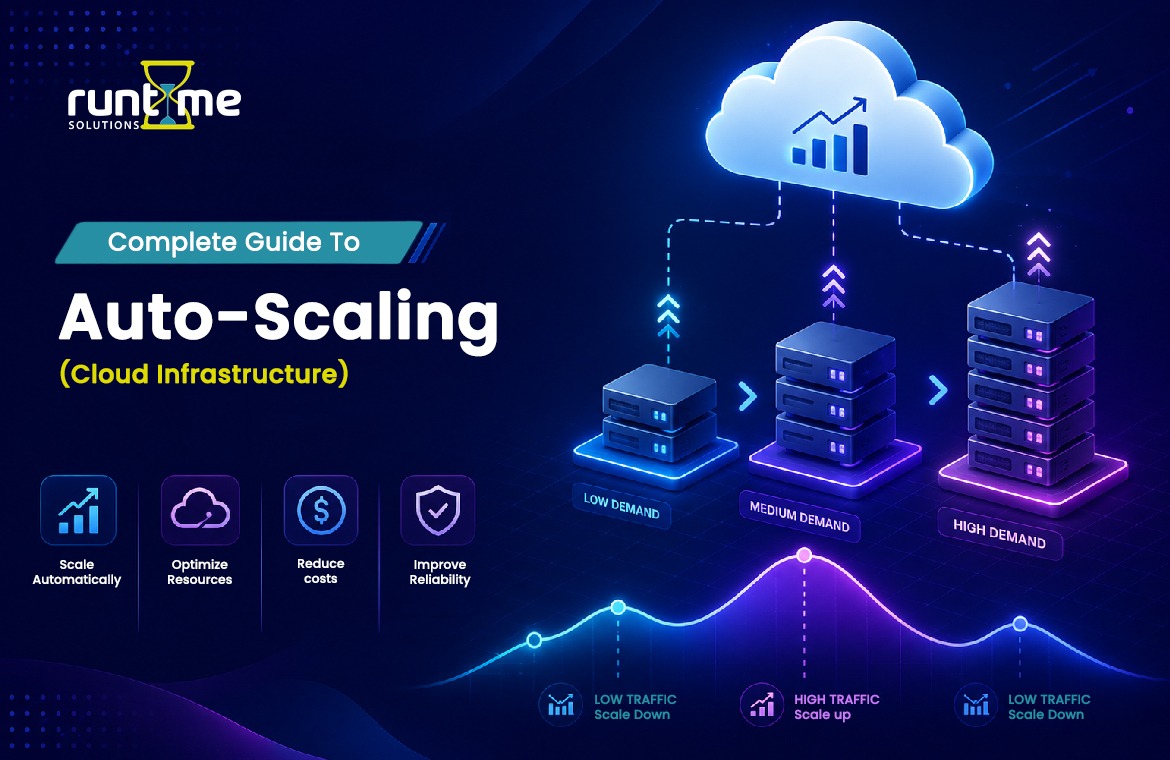
What Is Auto-Scaling?
Auto-scaling is the automatic process of adding or removing compute resources in response to real-time demand, so an application maintains performance during traffic spikes and cuts cost during quiet periods. Instead of an engineer manually launching servers when traffic climbs and shutting them down when it falls, a scaling controller watches metrics — CPU utilization, request rate, queue depth — and adjusts capacity against rules you define.
The promise is easy, automatic matching of supply to demand. Usage increases, capacity increases. Usage decreases, capacity decreases. This keeps response times stable under load and stops you paying for idle machines the rest of the time.
One of the key features of cloud infrastructure is auto-scaling. With on-premise hardware, you need to purchase for peak demand, and keep most of that capacity idle. With the cloud’s pay-as-you-go, auto-scaling model, you provision for the moment, not the maximum.
Why Auto-Scaling Matters
Auto-scaling is valuable in three normally conflicting dimensions: cost, availability and performance.
Affordable. Without auto-scaling, teams over-provision to survive peak load, then pay for that headroom 24/7. For spiky workloads, auto-scaling releases resources when they aren’t needed, which can save a lot of compute spend.
High availability Auto-scaling handles demand spikes and hardware failures without any downtime by adding instances when the load increases and automatically replacing unhealthy ones. If an instance fails a health check the controller can kill it and start a replacement with no human involved.
Stable performance. Response times will degrade with increasing concurrent users if capacity does not scale. Auto-scaling keeps the experience stable by scaling up capacity before the current fleet is fully utilised.
The trade off is complexity. Auto-scaling adds tuning decisions — thresholds, cooldowns, warm-up times — that, if poorly configured, lead to oscillation, cost overruns, or scaling that lags the traffic it is supposed to serve.
Horizontal vs Vertical Scaling
This distinction is important, because each auto-scaling strategy is based on one of two scaling directions.
Horizontal scaling (scaling out/in) means adding or removing instances – more copies of the same server running in parallel behind a load balancer . Scaling out means adding instances, scaling in means removing them. This is the dominant model for cloud auto-scaling because it has effectively no upper ceiling and improves fault tolerance: if one of ten instances dies, nine keep serving traffic.
Vertical scaling (up/down) increases/decreases the resources of a single instance – more CPU, more memory, more storage on the same machine. Scaling up gains power. Scaling down loses power. Vertical scaling is limited by the largest machine size available and usually requires a restart, which makes it disruptive and harder to automate seamlessly. This is helpful for workloads that can not be distributed across multiple nodes, such as some monolithic databases.
In practice, the auto-scaling of clouds is heavily horizontal. Stateless application tiers scale out cleanly. Stateful components are more difficult, and are often scaled vertically or with managed services.
How Auto-Scaling Works
Auto-scaling is a continuous control loop with four moving parts.
Collection of metrics. A monitoring service collects telemetry—CPU, memory, network throughput, requests per instance, custom metrics for an application, or the number of messages in a queue.
Policy evaluation. The scaling controller compares those metrics against thresholds you specify. Eg: Add capacity if average CPU is above 70% for 5 minutes.
The ascent. When a rule is triggered, the controller starts new instances (based on a template which defines the image, size, and configuration) or stops existing ones, within a minimum and maximum range.
Cool-down and stabilisation. Following a scaling action , the controller will wait through a cooldown period before acting again . This allows new instances to start and begin absorbing load so it does n’t overcorrect .
This loop will never end. If your scaling is smooth and cost-effective or jittery and wasteful depends on the quality of your configuration (which metric you scale on, what threshold, how long the cooldown).
Types of Scaling Policies
Scaling policies define how the controller decides to act. The major types differ in how proactive and how granular they are.
Simple scaling triggers a single fixed adjustment when a threshold is breached (e.g., add two instances when CPU > 80%), then waits out a cooldown before evaluating again. It’s the oldest and least responsive model — during the cooldown, it ignores further metric changes.
Step scaling responds in proportion to how far a metric has moved past the threshold. Breaching 70% CPU might add one instance; breaching 90% might add four. This makes scaling reactions match the severity of the spike rather than applying one blunt adjustment.
Target tracking is the most common modern policy. You specify a target value for a metric — say, 50% average CPU — and the controller automatically adds or removes capacity to keep the metric near that target, much like a thermostat holding a temperature. It abstracts away threshold math entirely.
Scheduled scaling changes capacity based on time rather than metrics. If you know traffic climbs every weekday at 9 a.m., you can pre-scale before the rush instead of reacting after it starts. It’s ideal for predictable, calendar-driven load patterns.
Predictive scaling uses machine learning on historical usage to forecast demand and provision capacity ahead of anticipated spikes. It’s proactive rather than reactive, which helps with workloads that ramp faster than reactive policies can add instances. It’s often combined with a reactive policy that handles unexpected deviations from the forecast.
The strongest configurations layer these: predictive or scheduled scaling for the known baseline, target tracking or step scaling to catch the surprises.
Auto-Scaling Across the Major Clouds
All the big providers use the same ideas with different names.
AWS. The core primitive is the Auto Scaling Group (ASG), which manages a fleet of EC2 instances between a minimum, maximum, and desired capacity. A launch template defines the configuration for all new instances. AWS supports target tracking, step, simple, scheduled and predictive scaling. Application Auto Scaling extends the model for non-EC2 resources such as ECS tasks and DynamoDB throughput.
Google Cloud Platform. GCP uses Managed Instance Groups (MIGs) with an attached autoscaler that scales on CPU, load balancing capacity, or custom Cloud Monitoring metrics, and supports predictive autoscaling based on historical patterns.
Microsoft Azure Azure provides Virtual Machine Scale Sets (VMSS) for large fleets of identical VMs, and Azure Autoscale rules that scale on metrics or schedules.
The naming is different but the mechanics (managed set of instances, a template, a policy, capacity limits and health checks) are the same for all three.
Auto-Scaling in Kubernetes and Containers
This is a full stack of scaling for containerised workloads. It works on multiple layers simultaneously .
Horizontal Pod Autoscaler (HPA) scales the number of pod replicas of a workload up or down based on observed CPU, memory or custom metrics – the container-world equivalent of horizontal instance scaling.
Vertical Pod Autoscaler (VPA) adjusts the CPU and memory requests and limits of pods rather than their count, right-sizing individual pods to their actual consumption.
Cluster Autoscaler works at the infrastructure layer: when pods can’t be scheduled because the cluster lacks capacity, it adds worker nodes; when nodes sit underutilized, it removes them. HPA scales pods . Cluster Autoscaler scales the nodes the pods run on . The two work together — HPA schedules more pods, and if there’s nowhere to put them, Cluster Autoscaler provisions the nodes.
KEDA (Kubernetes Event-Driven Autoscaling) extends HPA to scale on external event sources — the length of a message queue, events in a stream, database query results — and uniquely supports scaling to zero when there’s no work, which standard HPA does not.
Serverless Auto Scaling
Serverless platforms are the most aggressive form of auto-scaling: the platform handles scaling completely, invisibly and all the way down to zero.
With functions-as-a-service (AWS Lambda, Google Cloud Functions, Azure Functions), each incoming request can trigger a new execution environment, and the platform runs as many concurrent instances as demand requires — then scales to zero when idle, so you pay only for actual execution time.
The main friction is the cold start: when a function scales up from zero or adds a new concurrent instance, the platform must initialize the runtime, which adds latency to that first request. Provisioned concurrency mitigates this by keeping a pool of environments pre-warmed and ready, trading some always-on cost for predictable low latency.
Serverless scaling is also governed by concurrency limits and throttling — the platform caps simultaneous executions, and requests beyond the limit are queued or rejected, which protects downstream systems from being overwhelmed by unbounded scale-out
Glossary of Auto-Scaling Terms
Auto Scaling Group (ASG) — An AWS construct that treats a set of EC2 instances as a single entity, and maintains capacity within a given minimum, maximum, and desired range.
Cluster Autoscaler — A Kubernetes component that adds or removes worker nodes based on whether pending pods can be scheduled and whether existing nodes are underused.
Cold start — The additional latency introduced when a new instance or serverless environment is launched from scratch before it can serve its first request.
Concurrency limit — The maximum number of simultaneous executions or requests a service will handle, beyond which requests are throttled or queued.
Cooldown period — A configured wait after a scaling action during which further actions are suppressed, giving new capacity time to take effect before the controller reacts again.
Desired capacity – The number of instances the controller is trying to run, automatically adjusted between the minimum and maximum.
Elasticity – The ability to automatically grow and shrink resources with demand near real time. Different from scalability which is the capacity to handle growth at all.
Flapping (oscillation) – When thresholds are set too close together or cooldowns are too short, it causes rapid scaling in and out, wasting resources and churning instances.
Health check — A test run by the controller to determine whether an instance is working; instances that fail are terminated and replaced. Checks can be anything from status of an instance to an endpoint response at the application level.
Horizontal Pod Autoscaler (HPA) — A Kubernetes controller that automatically scales the number of pod replicas based on CPU, memory or custom metrics.
Horizontal scaling — Adding or removing whole instances to change capacity; scaling out adds instances, scaling in removes them.
Instance warm-up — The period after a new instance launches before it’s fully ready to serve traffic; scaling controllers can exclude warming instances from metric calculations to avoid false readings.
KEDA – Kubernetes Event-Driven Autoscaling Extends scaling to external event sources Can scale workloads down to zero.
Launch template — A definition of the image, instance size, network settings, and configuration that the controller uses to launch a new instance.
Lifecycle hook — A pause point in the scaling process that lets you run custom actions — such as draining connections or fetching data — before an instance enters or leaves service.
Managed Instance Group (MIG) – a Google Cloud feature that enables you to manage a fleet of identical VMs with an attached autoscaler.
Minimum / maximum capacity — The lower and upper bounds on instance count; the controller never scales below the minimum or above the maximum, protecting both availability and budget.
Predictive scaling — A policy that forecasts demand from historical data and provisions capacity ahead of anticipated load, rather than reacting after it arrives.
Provisioned concurrency — Warm, pre-initialized serverless environments to eliminate cold-start latency, but with the cost of always-on charges.
Scale-in / scale-out – Adding instances (out) or removing instances (in) in horizontal scaling.
Scale-to-zero — The ability to scale down capacity to zero running instances when there’s no demand, meaning that idle workloads have no compute cost.
Scaling policy The set of rules that define when and how the controller scales capacity, e.g., target tracking or step scaling.
Scheduled scaling – Adjusting capacity based on a time schedule to meet predictable, calendar-driven traffic patterns.
Spot / preemptible instances – Discounted, interruptible capacity that can be reclaimed by cloud providers with little notice Frequented into scaling groups to lower cost, with some tolerance for interruption
Step scaling — A policy that adjusts capacity in graduated steps proportional to how far a metric has exceeded its threshold.
Target tracking — A policy that automatically maintains a metric near a specified target value, like a thermostat holding a temperature.
Termination policy — The rule determining which instance is removed first during a scale-in event (for example, the oldest instance or the one closest to a billing hour).
Thundering herd — A failure pattern where many clients or instances retry or start simultaneously, overwhelming a shared resource; relevant when large numbers of instances launch at once.
Vertical Pod Autoscaler (VPA) — A Kubernetes controller that adjusts the resource requests and limits of pods rather than their number.
Vertical scaling — Increasing or decreasing the resources of a single instance; scaling up adds power, scaling down removes it.
Virtual Machine Scale Set (VMSS) — Microsoft Azure’s construct for managing and auto-scaling a fleet of identical virtual machines.
Warm pool — A pre-initialized reserve of stopped or paused instances kept ready to accelerate scale-out, reducing the time to bring new capacity online.
Common Auto-Scaling Pitfalls
Auto-scaling fails in predictable ways, and most incidents trace back to a handful of misconfigurations.
Auto-scaling fails in predictable ways and most failures are caused by a small number of misconfigurations.
Flapping near thresholds. If the thresholds for scale out and scale in are too close to each other then the controller will oscillate adding and removing instances around a load level. Increasing the threshold gap and the cooldowns can reduce the oscillation.
Cooldowns to bust traffic. A cooldown too long makes scaling lag behind real demand; too short causes overcorrection before new instances contribute. This has to be tuned to the speed at which your instances actually become productive.
Excluding warm up period. If new instances take three minutes to be useful but the controller counts them as active immediately, its metric averages are distorted and it may over-scale. Configure instance warm-up to exclude instances in warm-up period from calculations.
2. Scaling the wrong measure. CPU is the default, but many workloads are bound by memory, I/O, or queue depth. Scaling on CPU when your bottleneck is a backed-up queue means capacity never responds to the real pressure. Scale on the metric that actually reflects saturation.
Bad health checks Instance level checks just check that a machine is running, not that your application is correctly serving requests. The controller rotates broken instances without application level healthchecks.
No ceiling. Or too low a ceiling. If you don’t have a sensible maximum, you’re exposed to runaway cost when you have a spike in traffic or an attack. If you have it too low, you’re capped below real peak demand and you have an outage at exactly the wrong time.
Stateless view of stateful workloads. Horizontal scaling assumes instances are the same. Scaling a component that has local session state or writes to local disc without accounting for that state will result in lost data and inconsistent behaviour.
Conclusion
Auto-scaling is what makes cloud infrastructure truly elastic — matching compute supply to real demand so applications remain fast under load and lean when idle. The concepts covered here (horizontal versus vertical scaling, target-tracking and predictive policies, the container and serverless variants, and the pitfalls that cause flapping or runaway cost) form the working vocabulary any team needs to design scaling that behaves. Get the metrics, thresholds, cooldowns, and health checks right, and scaling becomes invisible infrastructure; get them wrong, and it becomes a source of outages and surprise bills.
Auto-scaling is not just theory at Runtime Solutions, it’s the infrastructure behind RuntimeLMS, our cloud-hosted learning management platform. The auto-scaling, CDN delivery, and 99.9% uptime this guide describes are exactly what keep RuntimeLMS responsive when an entire school sits exams or thousands of employees join a live training session at once. Runtime Solutions builds enterprise-grade, white-label LMS platforms for digital schools and corporate training teams — scalable, reliable learning infrastructure without the operational overhead of running it yourself. If you’re looking at an LMS that won’t buckle under peak load, check out the platform.
Frequently Asked Questions
What’s the difference between auto-scaling and load balancing?
Load balancing is the distribution of incoming traffic over the instances you have. Auto-scaling is the changing of how many instances there are. They are complementary – the load balancer evenly distributes requests, the autoscaler ensures there are enough instances to distribute them to.
What is the difference between elasticity and scalability?
Scalability is the capacity of the system to expand by adding the resources. Elasticity is the ability to automatically and quickly add and remove those resources as demand changes. Auto-scaling mechanism offers flexibility.
Vertical vs. Horizontal Scaling: Which is Better?
In the cloud, you would usually want to use horizontal scaling because there really is no limit to how much you can scale out, and it improves fault tolerance through redundancy. Vertical scaling works well for workloads that cannot be distributed across multiple machines, but it is limited by the largest instance available and typically requires downtime.
Can auto-scaling reduce your cloud bill?
Yes, for variable demand workloads, it eliminates idle capacity you would otherwise be paying for all the time. Savings are lower with steady, flat workloads and reserved or committed-use pricing can be more advantageous than dynamic scaling.
What is the reason for delays in scaling?
The main reasons are: instance boot and warm up time, cooldown period that is too long, and reactive policies that only react after a threshold is already crossed. Warm pools and predictive or scheduled scaling reduce lag by provisioning capacity ahead of time.
Can auto-scaling handle rapid spikes in traffic?
Reactive policies may lag behind very sharp spikes because it takes time to launch and warm up instances. For sudden, large spikes, use predictive or scheduled scaling, warm pools or pre-provisioned capacity so that resources are available before the spike happens.