
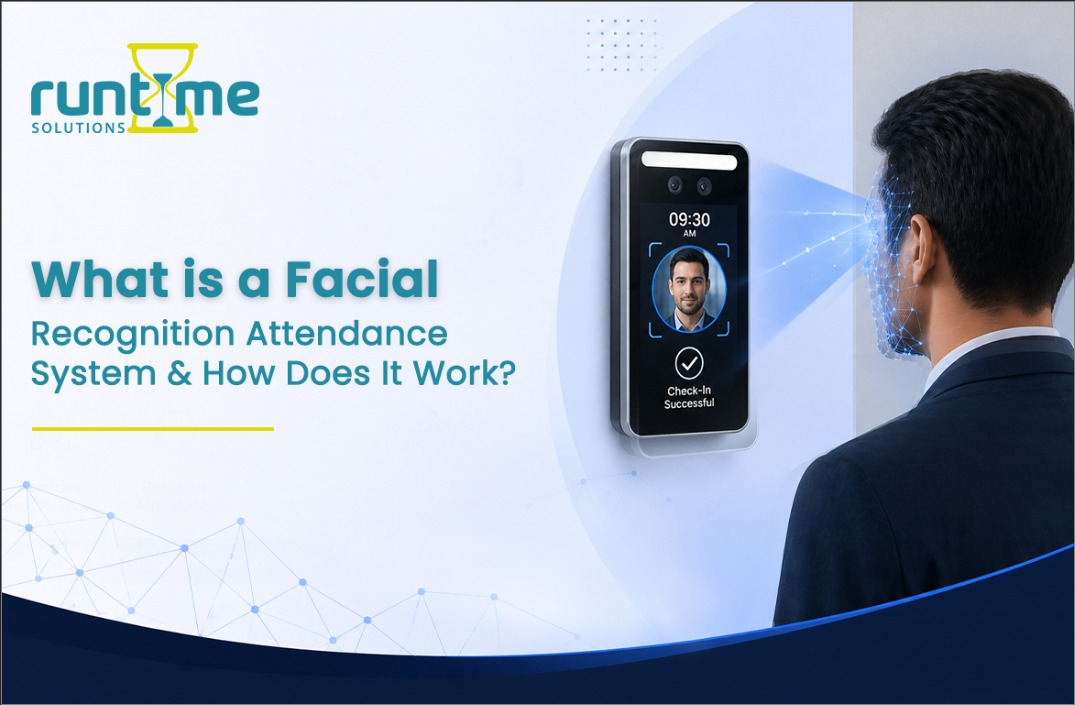
An insight into the emerging technology that is changing the way companies keep a tab on their employees’ attendance.
It’s 9:00 AM on a Monday morning. You have a coffee in one hand and your bag in the other, and your mind is still somewhere between your pillow and the office. You don’t want to stop, search your pockets for your ID card, swipe it, and then hear that awful beep that means you did it wrong and have to try again.
We all know how it feels. It’s a small thing, but it annoys me every day without me even knowing it. And what about businesses with hundreds or thousands of workers? Those little problems add up to real money, real headaches, and real inefficiencies.
That’s the exact problem that facial recognition attendance systems were made to fix. And to be honest, once you know how they work, it’s hard not to be a little interested in them.
So, what is a facial recognition attendance system, exactly?
A facial recognition attendance system is a way to automatically keep track of when someone comes and goes from a place using only their face.
No card. There is no fingerprint scanner. No PIN. When you walk in, a camera sees you, the system knows who you are, and it keeps track of your attendance. The whole thing takes less than a second, and you don’t have to do anything on purpose.
The same technology that lets your iPhone use Face ID. But instead of unlocking a phone, it unlocks a door and sends a timestamp to your HR software.
When you say it like that, it sounds almost too easy. But there is a lot going on behind that camera lens.
How does it work in real life?
Let me show you what happens from the time you step in front of one of these cameras until your attendance is confirmed.
Step 1: Your face is mapped out.
A camera takes a close-up picture of your face when you first sign up for the system. But it’s not saving a picture like you would take a selfie. Instead, it’s looking at the shape of your face, like a map of a landscape.
The system finds what engineers call ‘nodal points’.These are things like the distance between your eyes, the shape of your cheekbones, the angle of your jaw, and the width of your nose bridge. Depending on the software, it picks out between 60 and 80 of these reference measurements.
Step 2: Making a Number Out of Your Face
This is the part that most people don’t know: the system doesn’t keep a picture of your face. It uses all of those measurements and a mathematical formula to make a long string of numbers. This is a unique numerical fingerprint known as a faceprint or facial template.
The system keeps that string of numbers safe. But your real photo doesn’t. This is very important for both privacy and storage reasons (more on that in a moment).
Step 3: Recognize you in real time when u show up
The next morning, when you come, the camera does the whole process and maps your face, generates a fresh numerical code, and compares it to the stored template in the database again in a fraction of a second.
If it matches, the system knows it’s you and logs the time, syncs with your attendance record, and possibly unlocks an entry door.
Step 4: Confirming Your Physical Presence (Liveness Detection)
Initial biometric recognition systems were apparently vulnerable to deception via simple printed photos of individuals’ faces. Not the best solution. Today, most modern applications employ a feature known as liveness detection to verify the presence of an actual human individual.
These methods range from assessing depth perception (the image captured by the camera does not have a physical 3D structure compared to a real-life face) and analyzing spontaneous micro-movements such as eye blinks or lip movements to employing thermal sensors to determine temperature and surface textures. The latest generation of cameras utilizes structured light to form a complete 3D representation of the object before the lens – just like Face ID on iPhones.
Why is this needed in Companies?
When you get news that an organization has decided to pay thousands of pounds or dollars to replace functional card readers with facial recognition cameras, your first question may be: Why would they do this? The card readers seemed to work well enough.
But when we say ‘work well enough’, we should be more specific. Let’s look at the cost of using cards for organizations that they probably do not record on their spreadsheets.
Buddy Punching
We’ve all been in the same situation. Our colleague is held up in traffic and will probably be late, so they sent us a message saying, ‘Can I please ask you to punch in for me?. We do it since we are friends. They’ll do it for us, too, next time.
What many people don’t realize is just how widespread and costly this problem is. Estimates suggest that between 3% and 5% of total wages paid are due to employee time theft caused by behaviours such as proxy attendance. For a firm of 500 employees, this can amount to quite a sum.
Proxy attendance is not possible when using facial recognition.
The Problem with Cards
They get lost. They get left in the car. They lose their magnetism from spending too much time near a smartphone. They get broken in two, thrown in the wash, or disappear into some void inside someone’s desk drawer.
Each time an employee needs a new ID badge, it costs a little time and money. But across a couple of hundred employees, it’s a surprisingly frustrating and costly HR hassle. Facial recognition just eliminates this problem entirely.
Sanitation (This Is a Thing Now, Believe It or Not)
It’s been 2020 since the thought of having 200 people swipe their thumb on the same scanner at the start of each day seemed like a good idea. Contactless technologies are not only more convenient – in many cases, they’re preferable for sanitation reasons. Facial recognition is 100% contactless.
Where Does This Technology Actually Make Sense?
Facial recognition attendance systems work best in situations where the conventional ways become impractical or accuracy becomes highly important.
• Construction sites – Construction workers arrive on-site wearing gloves, carrying dusty clothing, and having no available fingers to be used with the fingerprint scanner. A ruggedized camera attached to a site office takes care of that problem.
• Hospitals – Surgeons who are in sterile environments cannot afford to stop their operations to use badges to enter restricted areas. Using a facial recognition system solves that problem.
• Large office buildings – Hundreds of people come during peak hours in the mornings. The system can process an individual within seconds without forming long lines or losing cards.
• Telecommuting employees with high security levels – Employees working remotely have to go through facial recognition before they log in to secure information, which ensures that only authorized individuals can have access to the confidential information.
• Schools/universities – Attendance records for hundreds of individuals without the need to fill in physical cards.
The Privacy Question
It would be remiss if we didn’t acknowledge this issue. Whenever facial recognition in the workplace comes up, the automatic reaction is often that of Big Brother. This is indeed a valid point of view.
What must be noted is that if the system is poorly executed, then it will indeed be considered highly intrusive and inappropriate. As such, facial recognition is neither inherently ethical nor unethical in nature – it wholly depends on the execution of the system and the intended use for the information gathered.
Responsible execution includes:
• Recording just entry and exit time and nothing more – no tracking of employees’ location inside the building.
• Biometric data is encoded and stored safely – no actual image is stored; rather, it is coded into numbers.
• Explicit notification of the system’s operation, what information is being stored, and who has access to it.
• Alternative methods of access are always available – PINs, badges, or any other type of verification.
This is often governed by law in other parts of the world – GDPR in Europe, BIPA in Illinois, or various state-level laws in the US. They must obtain explicit consent to collect biometric information, or suffer repercussions.
But that’s not even half the story: When it comes to collecting such data, the truth is that when done correctly, it is far from as invasive as many fear. If not, those fears are justified. That’s why being able to know the right questions to ask is important.
Business Benefits
For the people who own or manage the company, having accurate and automated information on attendance does more than eliminate the need for a traditional punch clock. It is about the data.
With a 100% accurate understanding of when people arrive and depart from your premises, previously hidden patterns become visible, like the fact that 35% of your team members always show up 10 to 15 minutes late every Thursday, simply because there is a road closure adding extra commuting time for them. This allows you to address the issue by rescheduling Thursday’s work by 15 minutes.
Or you realize that a particular department’s average time out of the building takes 45 minutes longer than everyone else, consistently every single day. This isn’t about commitment; this is an understaffed department that no one on the leadership team recognized.
There’s even a safety component here. When you need to evacuate a building in the case of an emergency, being able to know precisely how many people are inside and through which entrances they came can be vital knowledge. Real-time attendance tracking provides an accurate headcount of safety personnel.
All of this is possible without surveillance, because this is the natural result of accurate data rather than estimates.
Things to Look for While Looking into These Systems
As a manager, an HR executive, or someone who runs a business considering these systems, you’re likely to find that all vendors say their attendance tracking software is ‘99.9% accurate’ and ‘enterprise-ready’. But this is what really makes the difference between good and expensive:
• Speed: Recognition should take less than a second per user. Otherwise, you’ll end up with long queues when arrivals are particularly high. Be on the lookout for anything that can perform under half a second.
• Edge vs. cloud: ‘Edge’ systems process the facial recognition in the device itself, while other systems send it off to a cloud server and get their results there. Edge is superior and more secure in every sense. Don’t forget to ask which one the system offers.
• Integration: You need a seamless integration between the attendance system and your payroll management tool or HR software (or access control system). A stand-alone tool with exporting capabilities doesn’t cut it.
• Real-world performance: See how it performs in low light, in bright sun, or even under hats or sunglasses. Facial recognition tools are only useful when they work in any circumstances.
• Offline performance: How does the system behave when there is no Internet? Systems that can run offline, even temporarily, are simply better suited to reality.
The Bigger Picture
Face recognition-based attendance management is not only about attendance anymore. It is part of the evolution of our technological world into seamless, transparent infrastructure.
In the age of industry, the machines called the shots. You conformed to the system; you remembered the card, scanned your badge, signed on the dotted line, and punched the clock. The system did not cater to you – you catered to it.
But what is happening now is that the system itself is doing some of the work for you. The system recognizes who you are, opens the door for you, updates the record, and you just carry on.
While there are still legitimate worries about privacy and discrimination, which should continue to be considered, there are also ways in which this technology can make things better when used in an ethical manner. After all, the best attendance system is one that never even needs to be thought about again.